Book Title Generator by Genre
Choose a genre and optionally a word to build around to get a list of title ideas, each with its length checked against the KDP limit.
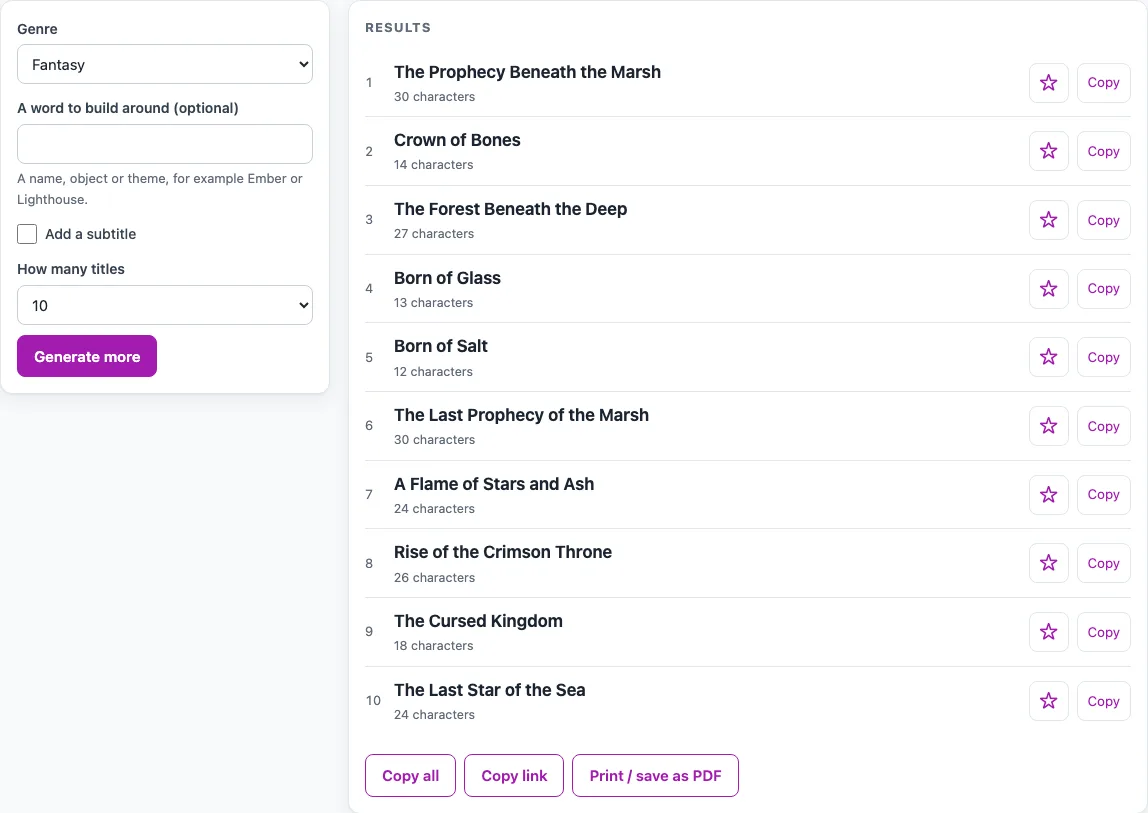
How to use the Book Title Generator
- Open the Genre menu and pick the genre closest to your book: Fantasy, Romance, Thriller, Mystery, Science fiction, Horror, Historical fiction, Children’s picture book, Memoir, or Self-help and non-fiction.
- Optional: type a word in the word box, such as a name, object or theme like Ember or Lighthouse. The tool keeps only letters, numbers, spaces, apostrophes and hyphens, up to 24 characters, and shows the word in Title Case. Every title will include it.
- Tick Add a subtitle if you want one. Every genre has its own subtitle styles, such as A Memoir, Book One or A Cozy Mystery.
- Choose How many titles: 10 or 20.
- Read the list. Each result shows its length in characters, title plus subtitle, and a warning appears if it passes 200 characters.
- Press Generate more, or change any option, to get a new list.
- Press the star beside a title to add it to My shortlist.
- Press Copy beside one title, or Copy all for the whole list.
Copy link saves your settings and the current list, because the genre, word and seed are kept in the page address (?s=…). Anyone who opens that link sees the same titles. Print / save as PDF gives you a copy of the list. My shortlist is kept only until you close the page.
How do I come up with a good book title?
A good title is short enough to read at a glance, fits the genre, and hints at what the book is about. The generator works from this idea. Each genre has its own adjectives, nouns, abstract nouns, people and places, which fill patterns such as “The {adjective} {noun}” for fantasy or “Death at {place}” for mystery. You can work the same way by hand: pick one or two strong nouns from your story, add a word that sets the mood, and try a few shapes.
Then test your shortlist with three checks:
- Say it aloud. If you stumble over it, readers will too.
- Look at it at thumbnail size. Online listings show small covers, so the title should still be easy to read.
- Search it in a bookstore. See what already uses the title, and avoid a close match in your genre.
If you write a series, use one pattern for every title so readers can see the books belong together.
What makes a good fantasy book title?
Fantasy titles usually name one concrete image, such as a throne, an oath, a crown or a forest, and then add a twist that suggests history or danger. The tool’s examples follow this shape: “Throne of Bones”, “Born of Salt”, “The Last Oath” and “The Forest Beneath the Mountain”. Each title gives the reader one clear picture and one question to wonder about.
Patterns like “Crown of {abstract}” and “The Last {noun} of {place}” follow the same logic. A typed word works as an anchor. With Lighthouse typed in, the tool produced “The Emerald Lighthouse”, “The Lighthouse and the Shadow” and “The Broken Lighthouse”. The shared word ties the set together, while the second word changes the mood.
Sources
Read 18 October 2026: Amazon KDP Help, Title and subtitle rules (200 characters for title plus subtitle, match the cover, no generic keywords or promotional terms, no change after publishing); US Copyright Office Circular 33, Works Not Protected by Copyright (PDF dated 26 March 2021; names, titles and short phrases are not protected by copyright, and trademark law may protect some). The word lists and title patterns are original to this tool.
Frequently asked questions
Can I copyright a book title?
The US Copyright Office’s Circular 33 lists the title or subtitle of a book among things that do not have enough authorship for copyright registration. That means a generated title is not copyrighted by anyone. Titles can sometimes be protected under trademark law, so check that your title is not a well-known trademark or series name. This is general information, not legal advice.
How long can a title be on KDP?
KDP’s help page says the title and subtitle together must be 200 characters or less. Each result on this page shows its character count, and a warning appears if it goes past 200. KDP also says the title must match the cover, and that the paperback, hardcover and eBook should use exactly the same title.
Can I add a subtitle?
Yes. Tick Add a subtitle, and the tool adds one in the style of the genre, such as “A Memoir”, “Book One”, “A Cozy Mystery” or “A Practical Guide to Calm”. KDP inserts a colon between the title and subtitle, and subtitles follow the same guidelines as titles.
Can I use generated titles in a book or product I sell?
Yes. Generated results can be used anywhere, including in books, games and products you sell, and you don’t need to give credit. You should still search the title first, because another book may already use it.
Does the tool store what I type?
No. The tool runs in your browser, and nothing you type is uploaded. You don’t need an account. Your settings, word and seed are kept only in the page address.
Can I change my title after publishing?
KDP says you cannot change a title after publishing without publishing a new title. Settle on your title before you publish.
Related tools
- D&D name generator: use it when your book or campaign needs names for characters or places.
- Dragon name generator: use it when your fantasy story needs a dragon with its own name.
- KDP cover calculator: use it when you have a title and need to work out the size of a print cover.
- Average novel length: use it to check how long your manuscript should be before you finalize your title.
- Writing tools for authors: use it to find more tools for drafting and planning your book.